


The MagnusCards® Embedded Experience
Step-by-step guides that live on your pages. When a customer needs help with a task, the guide opens right where they are, with nothing to download. One experience for everyone.


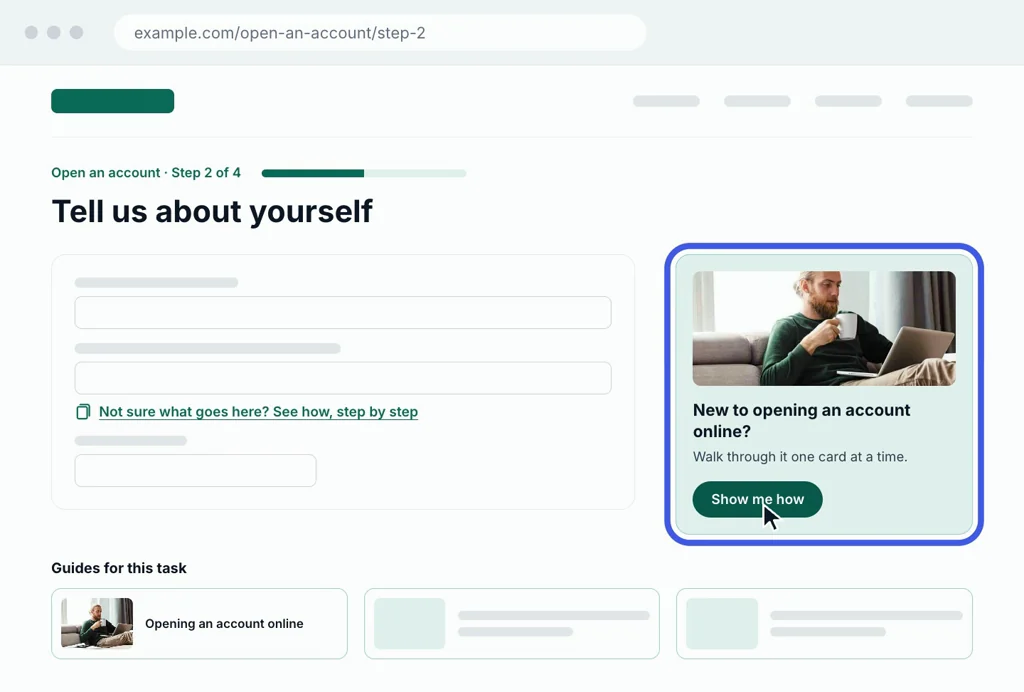
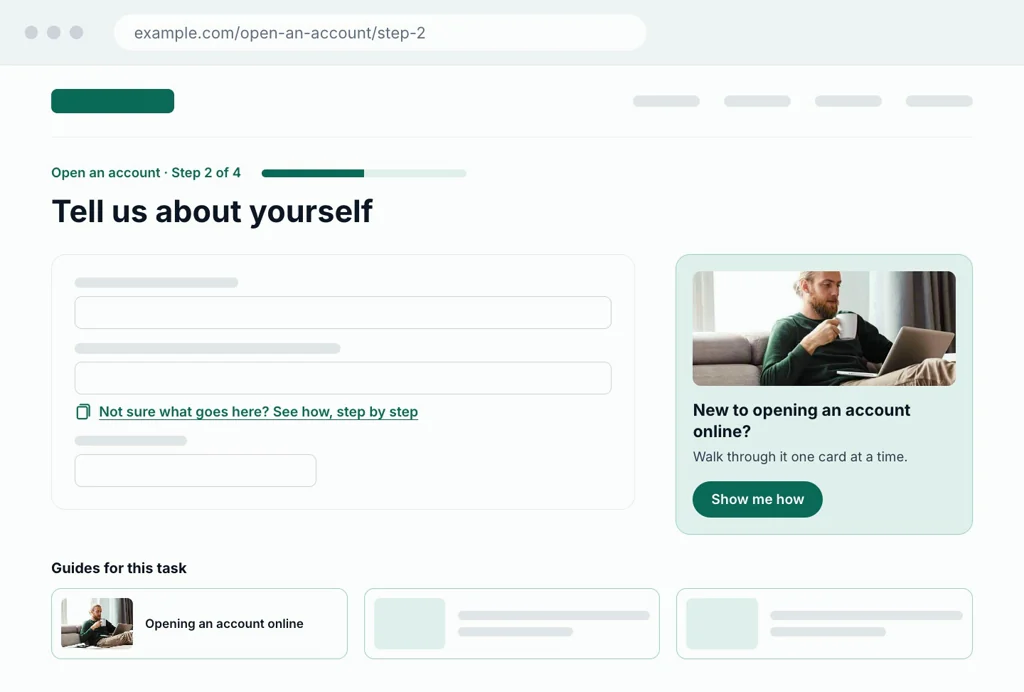
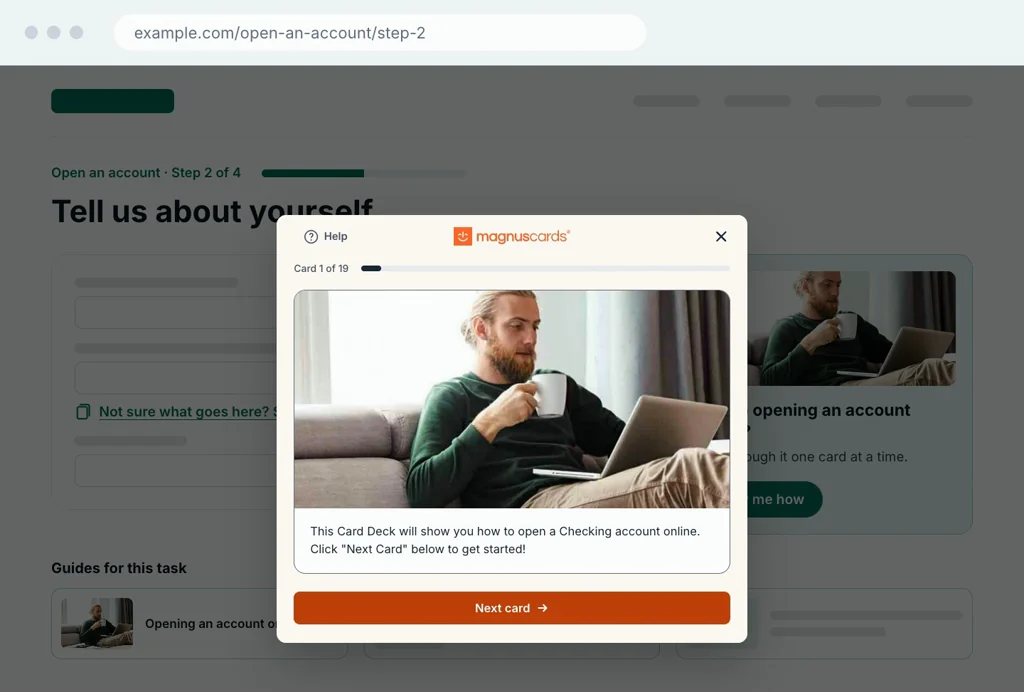
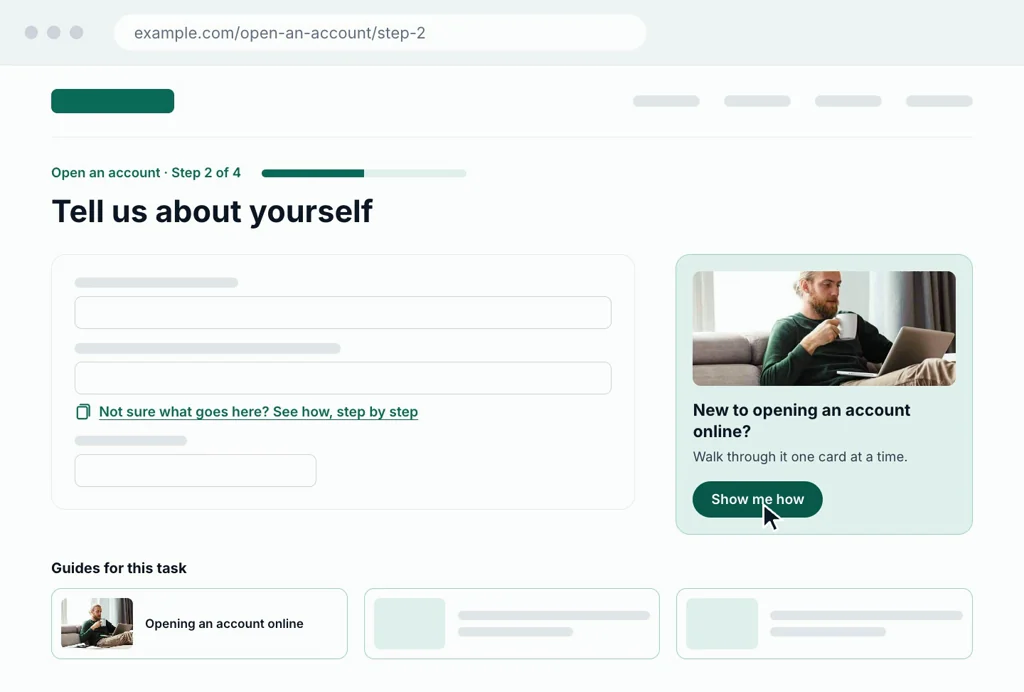
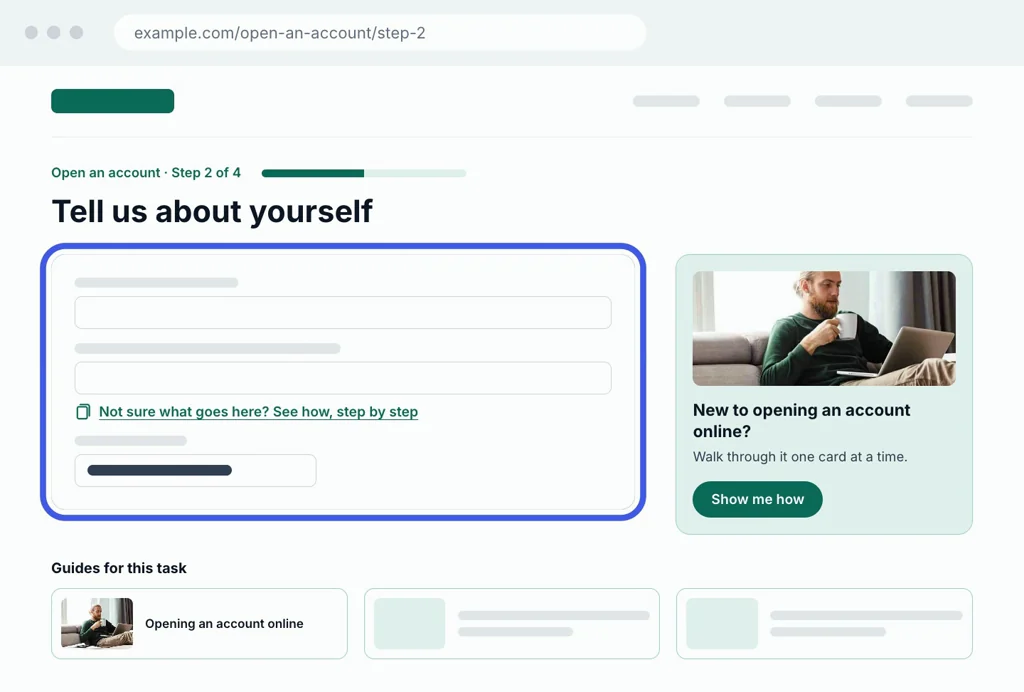
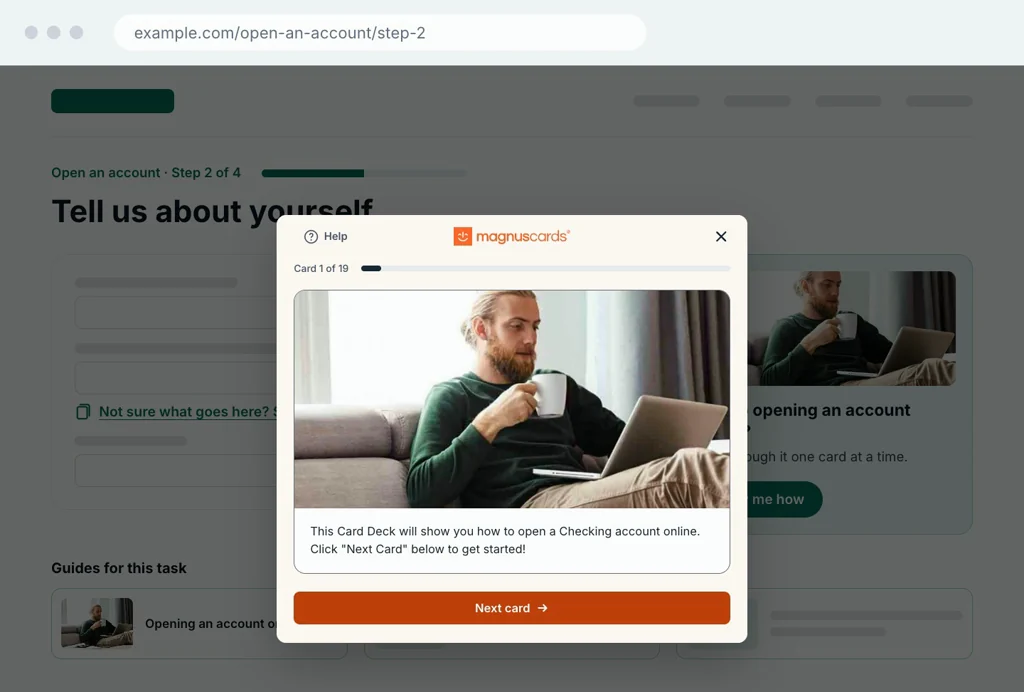
Animation, 30 seconds, no sound. An organization’s online account-opening page, step 2 of 4, in its own design. Today, to get help, customers need the app. The only help on the page is a link to download the MagnusCards app. Following it sends the visitor off the page to an app store on their phone, where they must install the app, find the guide and find their way back to the form. With the Embedded Experience, help stays on the page, in three places, each numbered: 1, a help card beside the form, placed where the organization chooses; 2, a link under a hard question, in the organization’s own words; 3, a row of guides for the task, in the organization’s design. The visitor presses Show me how on the help card. The guide opens over the page, one card at a time, showing its first card: a picture and a short instruction. They close it and fill in the form, still on the same page, with nothing downloaded. The animation then returns to its start.
- Placed where you choose
- In your words
- In your design
At a glance
- Nothing to downloadNo app and no account. The guide opens in the browser, on your page.
- Your page, your wordsYou choose where guides appear and write the offer that opens them.
- Your site stays yoursNo change to your code, and no claim about your site’s accessibility.
- One change, every pageMagnusmode keeps the guides current, and updates reach every page.
What is the Embedded Experience?
MagnusCards Card Decks are step-by-step guides for real tasks. Each card carries a picture and a short instruction, and people move through them one at a time, at their own pace. That simplicity is deliberate: the format is grounded in Applied Behaviour Analysis and built for people who find multi-step tasks hard to follow.
The Embedded Experience puts those guides inside your own website. Anyone who is stuck, or wants more help, opens a guide on the page they are already on. They do not leave your site, install an app or create an account. That is one path, inside the experience every customer has, rather than a separate path for the people who need support.
- The MagnusCards app
- The library. People download it, browse the Card Decks and carry the full set with them.
What does a visitor see?
Three steps, all on your page.
They are already on the page.
Your own copy offers a guide for the task at hand, on a button, a link or an information card.
The guide opens in place.
One card at a time, each a picture and a short instruction. The page stays exactly where it was.
They finish and carry on.
They close the guide and pick up where they left off, with nothing installed and nothing to sign in to.

What do partners control?
You decide how guides show up on your site. The offer is framed around the task, not the audience, so it reaches everyone who needs it and singles no one out.
You choose
- Where guides appear The pages, and the spot on each page where people need help.
- What the offer says The words that invite people in, written in your own voice.
- How the button looks Drawn in your own design, like any other button on your site.
- Which guides go where The Card Decks that fit each page’s task.
How it fits your site
- It adds help to the pages you already have. Your code stays as it is. Your team looks after your pages, and Magnusmode looks after the guides and the viewer.
- Your page keeps its own look. Your page draws the button and any tiles in your own design. Guides open in the MagnusCards viewer.
- It runs on the web, on tablets and phones. Visitors open a guide straight away, in the browser they already use, and it fits their screen.
- Visitors pick up where they left off. The guide opens in a dialog over your page. When they close it, your page is just as they left it.
What does Magnusmode take on?
The part that is hard to build and harder to keep up. Magnusmode runs the guides, the viewer and the service behind them, so your team does not have to.
The content practice
Every Card Deck is co-created with you and with the people who use it. A Board Certified Behaviour Analyst reviews it before release. It is written in plain language and kept current as the task changes.
The viewer
The guides open in the MagnusCards viewer, which Magnusmode maintains and improves. It carries the MagnusCards mark, which shows where the guidance comes from.
The service behind it
Magnusmode serves the guides, keeps them running and reports usage to you, as agreed for your deployment. One update reaches every page a deck sits on.
Your team’s part
Your developers add the buttons and links that open the guides, in your own design, and release them on your own schedule. Magnusmode supports them throughout.
What partners gain
- A site your customers knowThey get help on the website they already use, right where the task happens.
- Engagement you can seeYour own analytics can count every guide opened from your page, like any other click.
- Help you can promotePoint to it from an awareness-month post, a newsletter or your contact centre. Every mention leads to help that opens on your page.
Questions from your peers
The questions teams in digital, IT, accessibility and communications usually ask first.
The MagnusCards app is a library: people download it and browse the Card Decks. The Embedded Experience opens one relevant guide directly on your page, at the moment of need. The guides come from the same MagnusCards library and are maintained centrally, and the app stays as a companion for people who want the full library.
Both, in different places. You control the page: the button, the label and the copy around it, all in your brand and your words. The guide opens in the MagnusCards viewer, which carries the MagnusCards mark. A partner-branded viewer is on the roadmap.
Place the ways into the guides where you want them, in your design, and release them on your own cycle. One integration covers every page on the domain you register with Magnusmode. Adding a guide to another page is a change to that page, not a new integration. The guide opens in its own container and does not read or change the rest of your page. Magnusmode supports your developers throughout.
Nothing breaks on your page. The Embedded Experience runs on the MagnusCards API, which carries a 99.9% uptime service level. During an interruption the viewer draws nothing of its own and reports the condition to your page, so your team decides what, if anything, to show.
No. It needs no account and no sign-in, and it does not collect personal information.
It is stored and processed in Canada.
No. Accessibility overlays add a toolbar to every page and change a site’s code, claiming to make it accessible. The Embedded Experience does neither. It opens a guide in a dialog when a visitor asks for one, and closes back to your page as it was.
Magnusmode builds the Embedded Experience to WCAG 2.2 Level AA, the same standard as our website and the MagnusCards app. It does not change your page’s code or styles, so it does not change the conformance of the page it sits on.
Yes. People can open a guide, move through every card and close it using only the keyboard. Keyboard focus moves into the guide when it opens and stays there while it is open.
Magnusmode and your team usually choose the topics and write the decks together, with the people who will use them. A Board Certified Behaviour Analyst reviews every deck before release. Each deck is checked on the Flesch-Kincaid readability scale and written at Grade 5 to Grade 9, depending on the task. Magnusmode keeps the decks current as tasks change.
Each card can be read aloud in the MagnusCards app today, and audio is coming to the Embedded Experience.
Decks can be delivered in English, French and Spanish. A deck is shown in the language it is written in, and which languages your decks are offered in is agreed as part of a deployment.
Magnusmode and your team agree what is measured and reported, as part of the deployment. Your own analytics can count the clicks too, because the button is part of your page like any other element.
The Embedded Experience is built for the person already on your page with a task in front of them. A guide opens when that visitor clicks, so search engines and AI tools do not read it, and it does not change your rankings. To help people find the guides through search, add a sentence to your accessibility page saying they are there. Magnusmode will supply it.
Bring Card Decks to your website
Book a working session with Magnusmode. Together, we look at where your customers need help online, and how Card Decks can guide them through those tasks on your own pages.